Write and edit Python
Use a code editor with syntax highlighting and common editing tools to work on Python exercises and small projects.
Write, run, test, and debug Python programs in your browser with Tech Me Labs. Start coding without installing a desktop programming environment, then use the Code Lab's editor, console output, and error feedback to learn by doing.
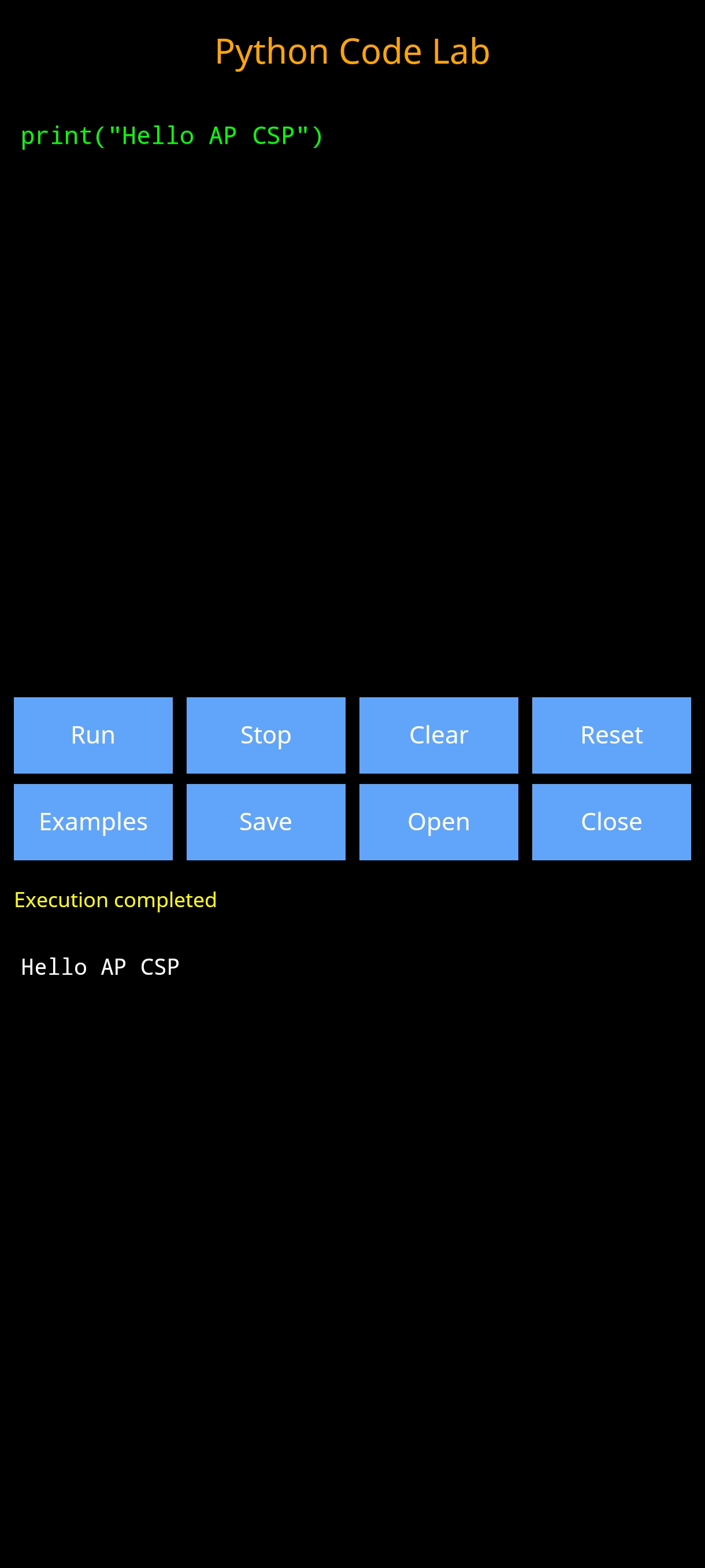
A compiler is most useful when it helps you understand what your program does and where you can improve it. The Tech Me Labs Code Lab combines core coding actions with clear learning feedback.
Use a code editor with syntax highlighting and common editing tools to work on Python exercises and small projects.
Execute supported programs and inspect printed output so you can compare actual results with your expectations.
Use runtime feedback and error-line focus to investigate mistakes, test corrections, and improve your reasoning.
A simple function shows the basic cycle: write the code, run it, read the output, and make changes when needed.
def greet(name):
    return "Hello, " + name

print(greet("Python learner"))You can start practicing in a few straightforward steps.
Use the Open Python Code Lab button to launch the coding workspace in your browser.
Begin with an example or write your own code. Check indentation, variable names, and the logic of each step.
Run the program, read its output or error message, then revise and test it again.
The Code Lab is designed to make it easier to practice programming concepts, inspect results, and discuss how a solution works.
Practice variables, input and output, conditions, loops, lists, functions, and step-by-step problem solving.
Reinforce programming ideas and computational thinking alongside the Tech Me Labs AP Computer Science Principles learning resources.
Use short programs to demonstrate concepts, discuss results, test edge cases, and guide students through debugging.
Yes. The browser-based Code Lab is offered as a free educational tool.
You can open the online Code Lab in a supported web browser without installing a desktop Python environment.
No. Tech Me Labs uses an educational interpreter with a defined set of supported Python features. It is not a replacement for a full CPython installation with every third-party package.
Yes. It can support Python programming practice alongside the Tech Me Labs AP CSP lessons and learning resources. Students should still follow their teacher's assignment and academic-integrity instructions.
Open the Python Code Lab and start practicing in your browser.